
Why Multitasking Becomes Easier with a Laptop Screen Extender
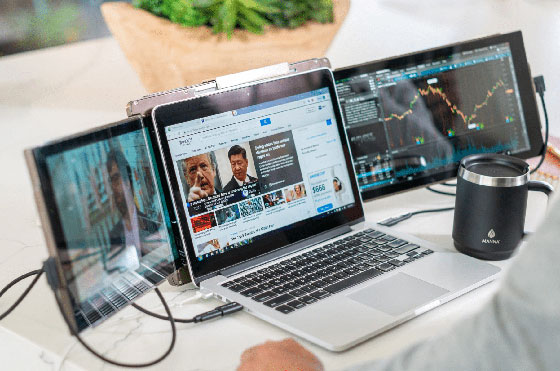
In the modern world, everyone needs to follow a multitasking culture. One significant reason is the speeding up of the digital world. But multitasking can become overwhelming for many. With the right tools, it can be an easy game. A tool that is getting everyone’s attention is a laptop screen extender. With the help of this product, you can easily organise tasks with better focus and efficiency while you work.
This post demonstrates how these extenders are transforming the lives of modern professionals. Stay tuned and check it out!
Understanding the Multitasking Challenge
Firstly, you need to understand that multitasking can become a challenge. Let’s see how! When you multitask on a single screen, it can lead to:
- tab overload,
- constant app switching, and
- mental fatigue.
With limited space, users are forced to bounce between documents, emails, and browsers. It highly disrupts the workflow and increases stress. This fragmented attention not only slows down task completion but also reduces the quality of work. Over time, it becomes harder for users to focus on the job. Thus, their productivity feels like a constant uphill battle rather than an efficient process.
How Screen Extenders Solve Multitasking Issues
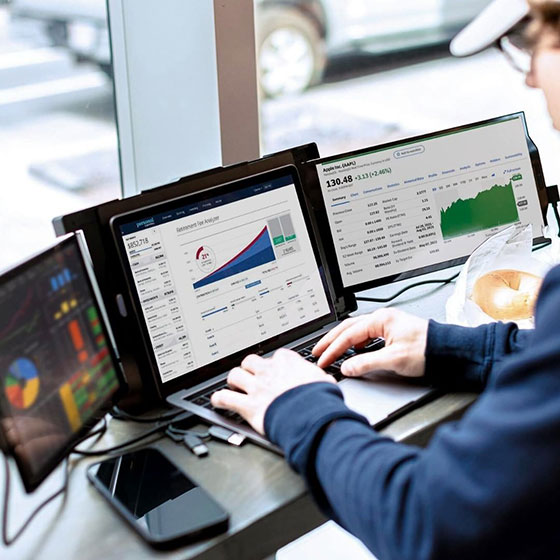
With the introduction of a screen extender like the Mobile Pixels Trio laptop screen extender, multitasking issues can be reduced. They easily expand your digital workspace. Thus, multitasking becomes more manageable. You can see different applications side by side when you use dual or triple screens. For example, you can view emails and documents or conduct meetings simultaneously.
Thus, this setup reduces friction and mental strain for users. These extenders also allow smoother workflows with improved concentration. So, think of them as your best digital friend to keep essential tools and references visible at all times for better productivity.
Strategic Task Placement for Focus
Another good thing to do when managing multitasking is strategically placing your crucial tasks across the screens. It will help you to focus better. For instance, you can assign a primary screen to active work like writing, designing, or coding. At the same time, you can use the other screens for passive or reference tasks, including emails, research, or chats. Thus, you can easily reduce the distractions with this kind of work setup. As a result, it can streamline multitasking for more productive workflows.
Visual Workflow Management
The users can maintain a great visual workflow with multiple screens. A screen extender is a tool to manage a multitasking visual workflow. For example, you can open tools like Trello, Notion, or project boards in full-screen mode. It offers a clear view of tasks and timelines. Besides, you can see that display also matters from an eye protection point of view. When you have a well-organised display on multiple screens, it will create less stress on your eyes. Thus, you will feel less fatigued. It will boost your overall focus while working on crucial projects.
Tips to Avoid Overwhelm with Extra Space
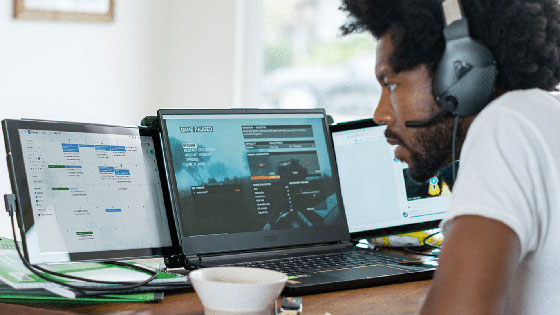
The following are some tips to not feel overwhelmed with extra space on your screen:
- Avoid Screen Clutter: Don’t overload both screens with unnecessary apps or tabs—too much visual input can reduce focus.
- Prioritise Key Tasks: Keep only essential apps visible to maintain productivity and reduce distractions.
- Plan Your Layout: Intentionally assign each screen a specific function to support workflow clarity.
- Regular Screen Cleanup: Periodically close unused windows and reorganise your layout to stay efficient and avoid digital fatigue.
Conclusion
In the end, you can see that a laptop screen extender can be the best tool for multitasking. These screens offer more space, better organization, and improved focus. Whether you’re a student, professional, or creative, using a screen extender smartly can transform your daily work.